Running Multiple Interfaces
By default, the ANB Interface opens in your default web browser using listen port: 8080 and baud rate: 57600. If you want to open an additional Interface tab or use different settings, you can override these defaults using a configuration file.
Overriding the default settings
Create a file called anb.properties in the same directory as the anb_gui application (using Notepad or a similar text editor).
Add one or both of the following properties to the file:
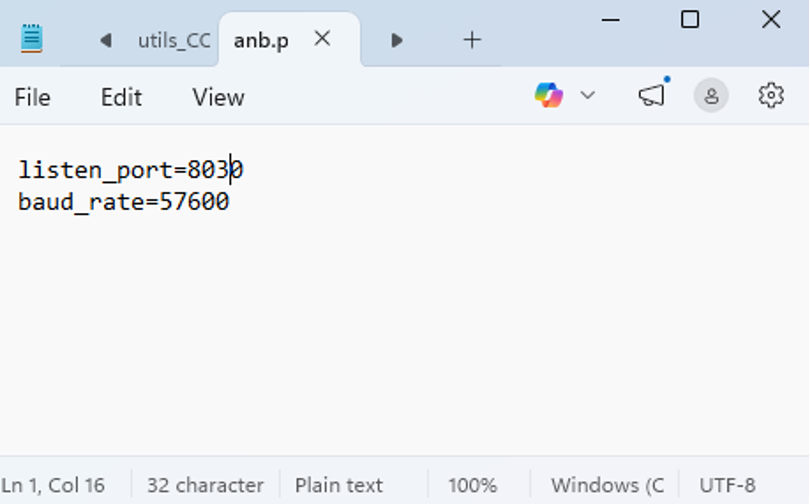
Ensure the file is saved as anb.properties, not anb.properties.txt.
On Windows:
Open File Explorer
Click View → Show → File name extensions
Change: anb.properties.txt → anb.properties
Open File Explorer
Click View → Show → File name extensions
Change: anb.properties.txt → anb.properties
Applying the custom settings
Once the file has been saved, run the anb_gui application.
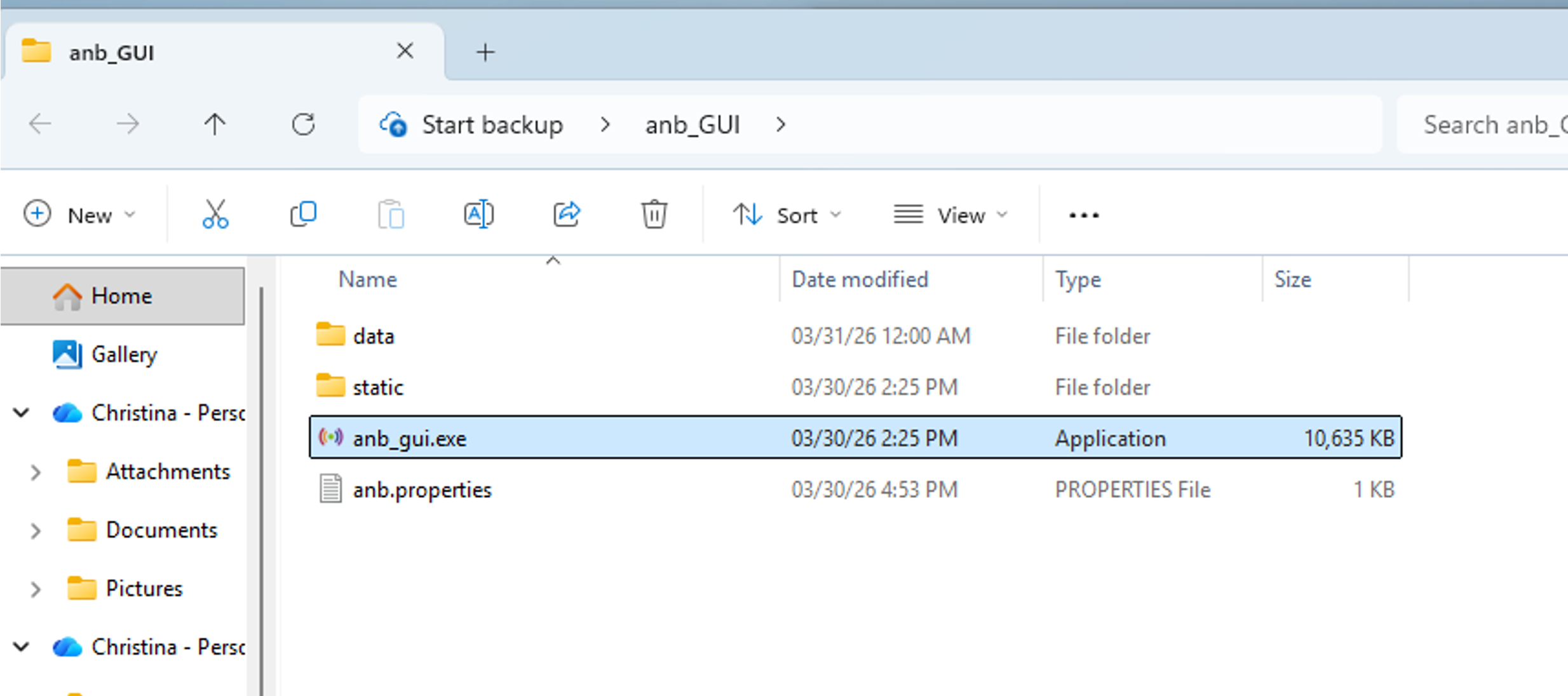
Your default browser will then open using the listen port and/or baud rate specified in anb.properties.
For further support please contact support@anbsensors.com